Map Management
Map Management#
Interface#
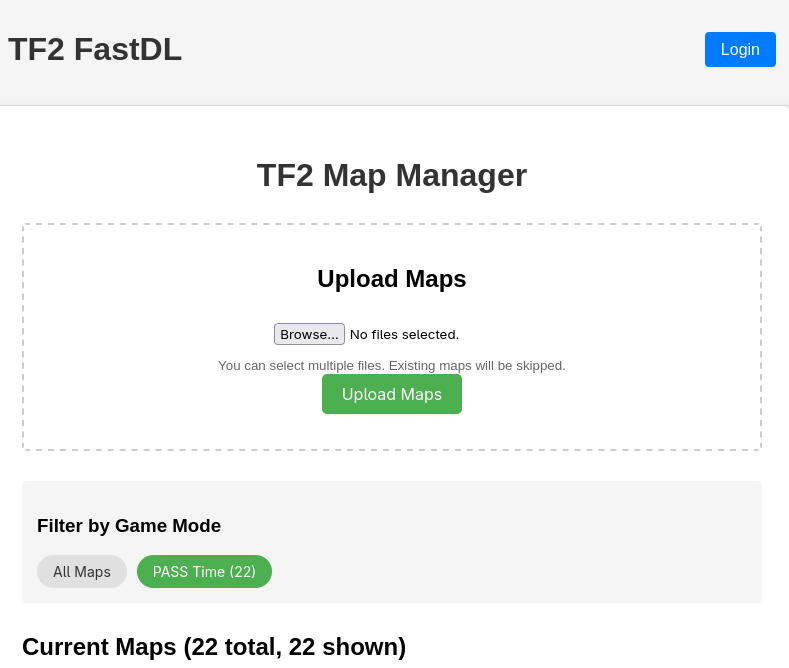
We have created a web interface for map management that can be found at https://fastdl.pugs.tf.
Upload and delete#
Anyone can use this page to upload a map directly to the server but only authenticated admins can delete a map.
FastDL#
Once a map has been added through this interface, it immediately becomes available for all of our hosted TF2 servers. This map manager address also doubles as a fastdl server, so you only have to upload your map once and it will also be available to our servers over fastdl.
Mapcycles#
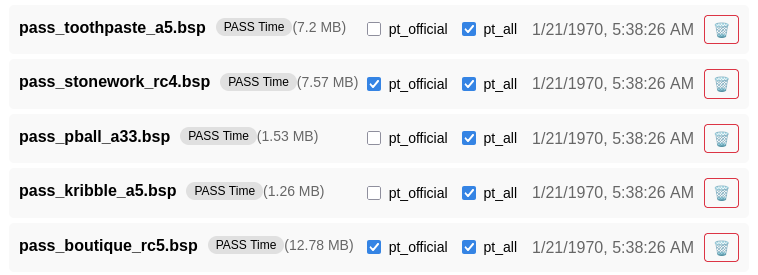
This management interface can also be used to add a map to (currently) one of two mapcycles. We have the "pt_official" and the "pt_all" mapcycles. To add a map to one of these mapcycles, you need to be an authenticated admin.
PASS Time maps (any file whose name starts with pass_) are added to pt_all automatically when they are uploaded, and leave it again when they are deleted, so nobody needs to tick that box by hand. pt_official is still curated manually. A helper can still untick pt_all for an individual map if it should not be in rotation.
The resulting mapcycle files are published at https://fastdl.pugs.tf/tf/cfg/mapcycle_pt_official.txt and https://fastdl.pugs.tf/tf/cfg/mapcycle_pt_all.txt. The game servers download these into their tf/cfg/ directory; the FastDL server no longer writes to the game servers directly.